Recmo
Pour your meetings into your vault.
Capture any sound on your Mac. Real-time transcription, AI summary, custom Markdown — straight into your Obsidian vault.
From audio to knowledge base, hands-free.
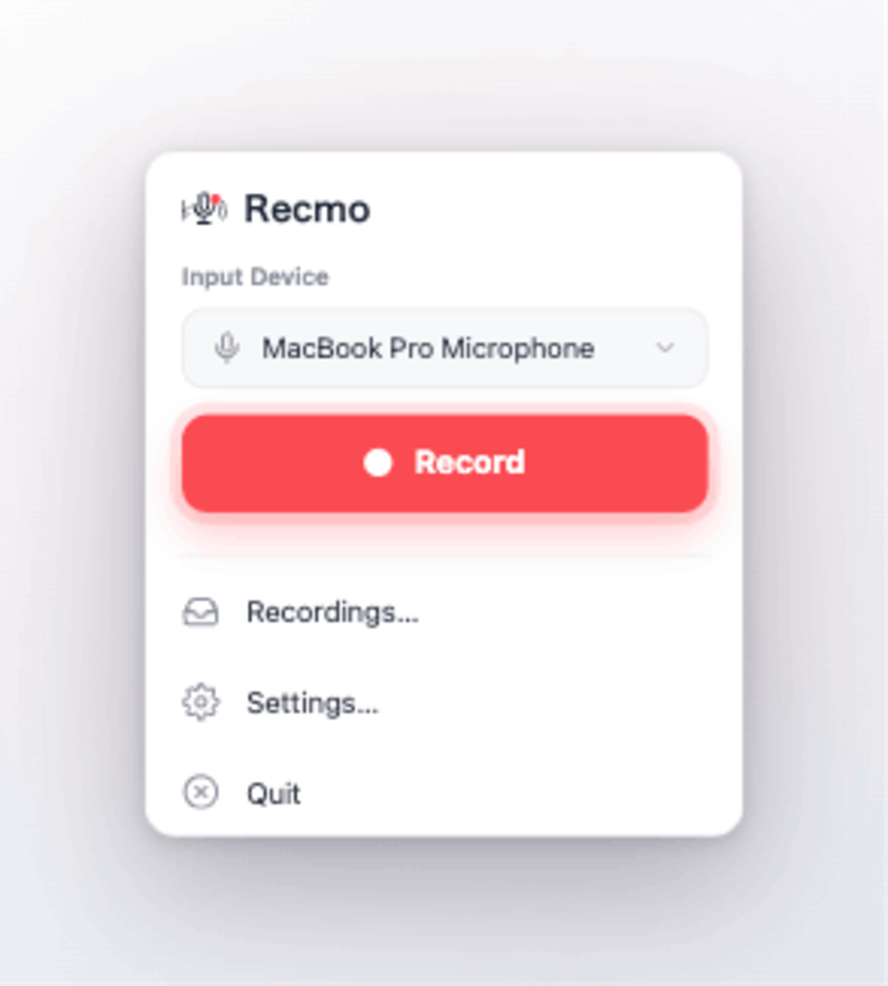
A calm, simple interface
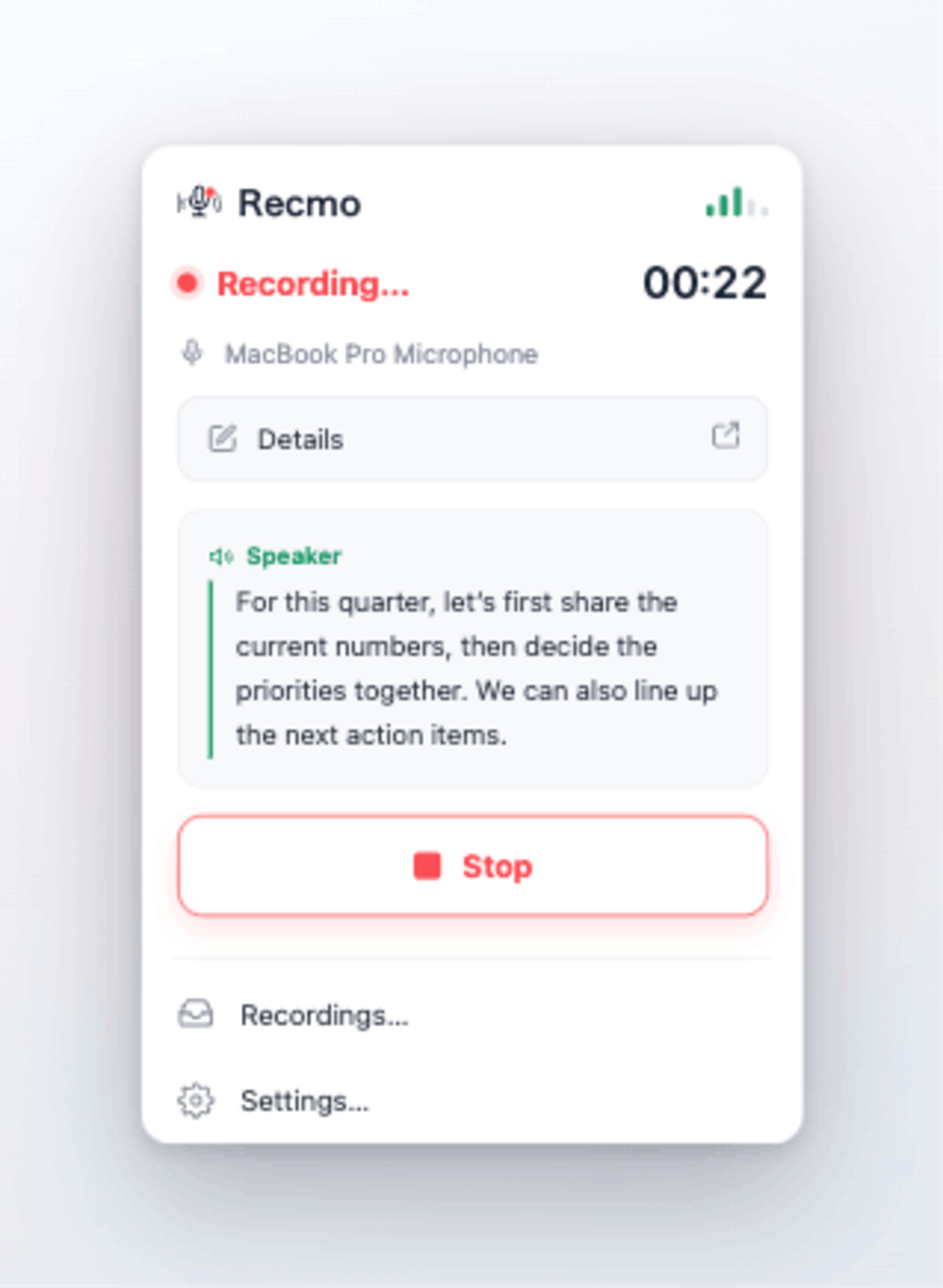
Words appear as you speak.
Mic and speaker are split and transcribed live, right while you record — neatly organized by speaker.
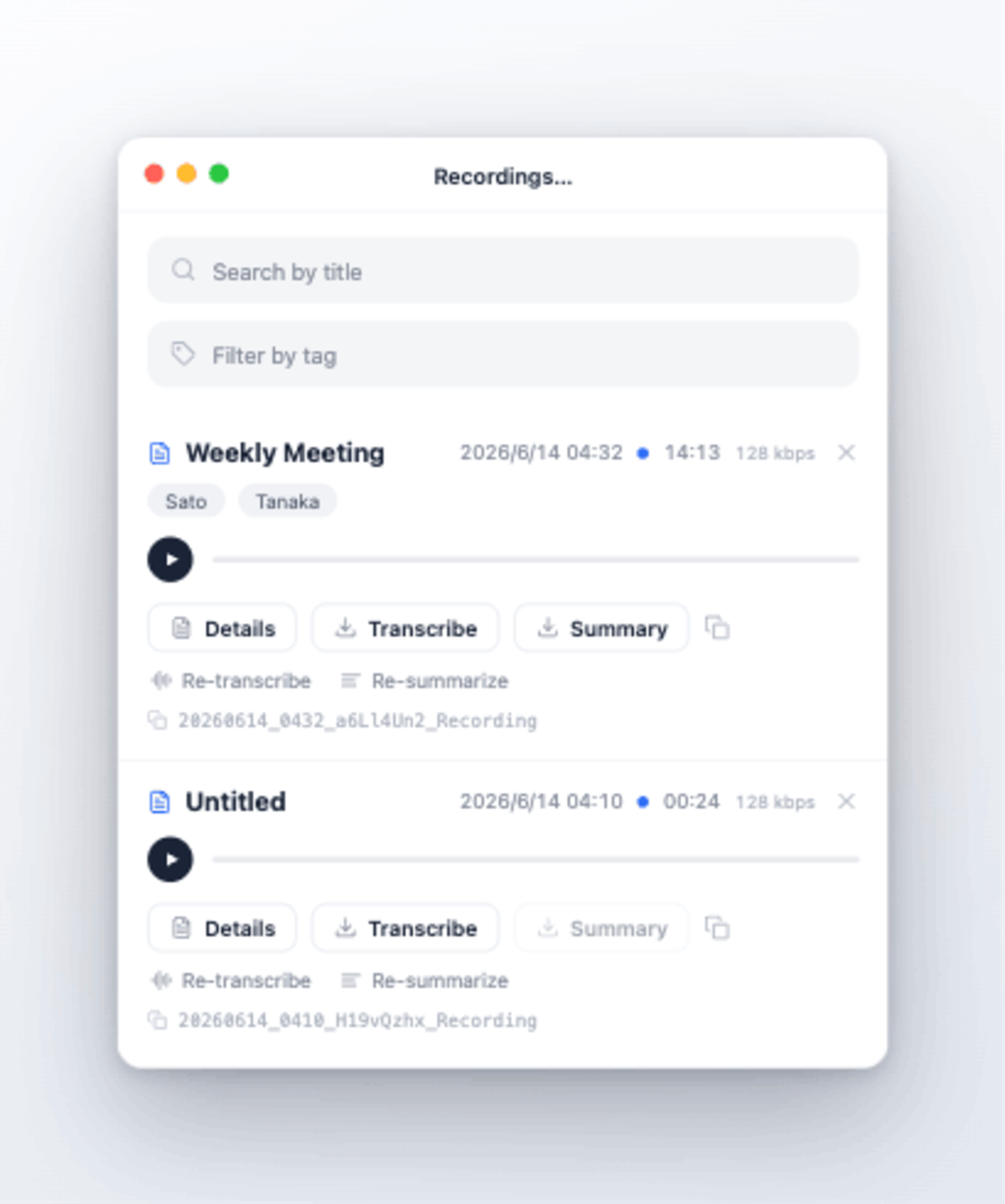
Keep recordings organized.
Manage by title and tags, with transcripts, summaries and re-processing all one click away.
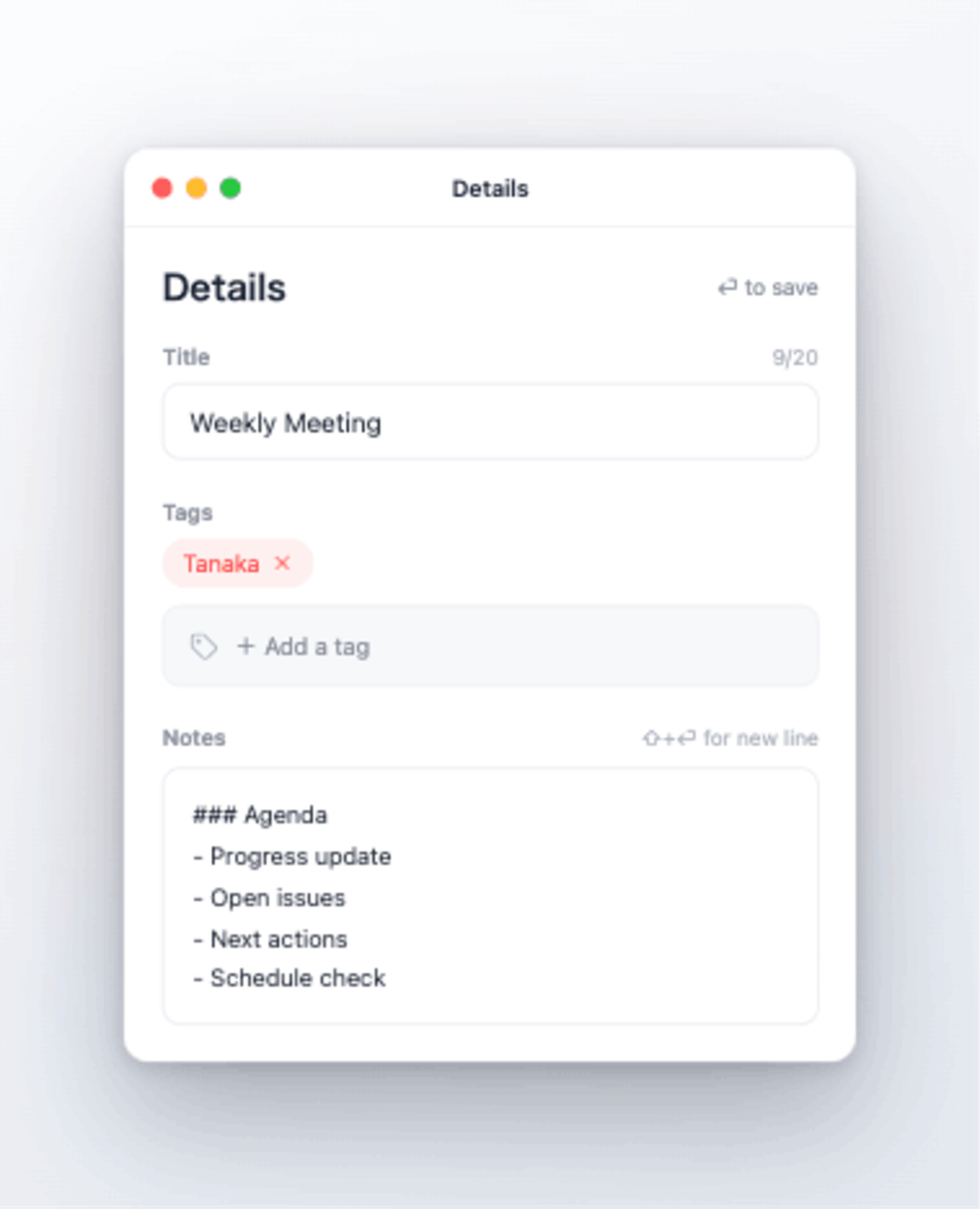
Titles and notes, any time.
Add tags and Markdown notes so the right recording is always easy to find — notes also feed your summary.
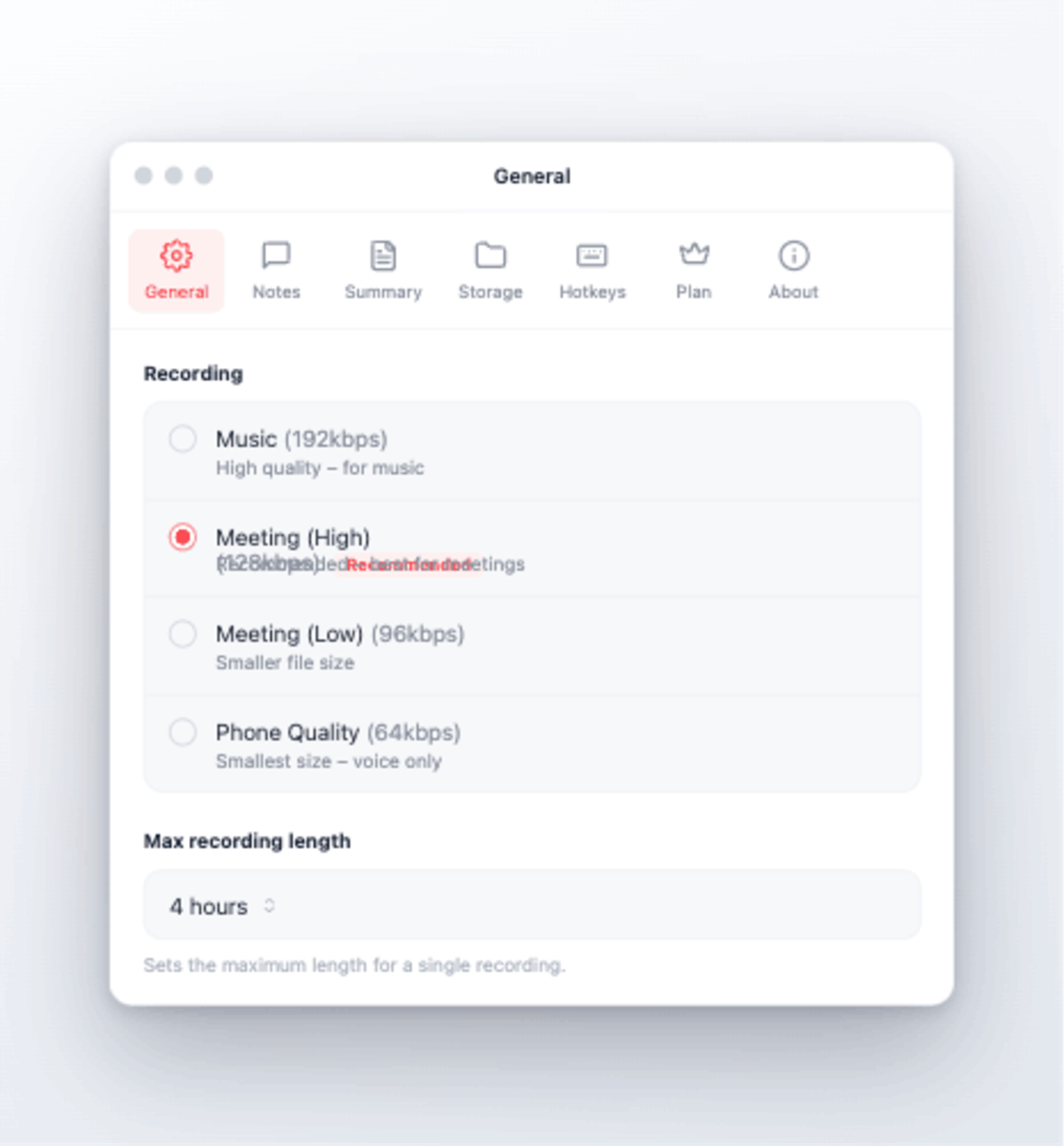
Your audio, your way.
From meetings to interviews — fine-tune recording quality and storage to fit how you work.
Sound familiar?
- "What did we decide in that meeting...?" Can't remember afterward
- Can't focus on the conversation while taking notes
- Made a recording, but no time to listen back
- Worried about uploading audio to cloud services
- Spending over an hour writing meeting notes every time
Recmo solves all of that.
What Recmo Can Do
🎯 What Other Apps Can't Do
Most transcription apps only work with "supported apps." Recmo works with ALL apps.
| App | Others | Recmo |
|---|---|---|
| Zoom / Google Meet / Teams | ✅ | ✅ |
| LINE / Discord calls | ❌ | ✅ |
| FaceTime / Slack Huddle | ❌ | ✅ |
| YouTube / Video courses | ❌ | ✅ |
| Podcasts / Audio content | ❌ | ✅ |
| Internal company tools | ❌ | ✅ |
No virtual audio devices like BlackHole needed. Zero setup required.
🔒 Your Audio Stays on Your Mac
Recording and transcription are fully local. Your audio data is never uploaded to the cloud.
- ✅Safe for confidential meetings
- ✅Transcribe offline - no internet required
- ✅Suitable for strict security policies
One-Tap Workflow
Just press record. Recmo handles the rest.
Set up global hotkeys to control Recmo without opening the app:
- Start/Stop Recording - Control recording with one tap, no interruptions
- Open Memo - Instantly bring up the memo window with a hotkey to jot down important points
Meeting Notes That Power Your Summary
Take notes during recording. These notes are used as reference when AI generates the summary.
- Jot down keywords when something feels important
- Write your agenda beforehand → Get an organized summary by topic
- Mark items with "decision", "TODO", "@John" → Prioritized extraction
Re-transcribe & Re-summarize Anytime
Want to transcribe again? Changed your summary prompt? No problem. Re-process anytime from your recording history.
As long as you have the audio, you can redo it as many times as you want.
How It Works
+ Microphone
(on-device)
Only text is sent (audio is never uploaded)
Auto-Summary for Clear Action Items
When recording ends, AI automatically generates a summary. What was decided. Who does what. Crystal clear.
## Summary
Final confirmation meeting for the new feature release.
Discussed design, testing, and schedule.

## Decisions
- New feature launches next Monday
- Design finalized with current proposal

## To-Do (with assignees)
- [ ] Final design review (Owner: Tanaka)
- [ ] Prepare test environment (Owner: Sato)

## Concerns
- Server load testing incomplete

## Notes
- Next meeting: Friday 3pm
Built for Obsidian and AI Workflows
Recmo doesn't stop at recording. Markdown lands directly in your Obsidian vault — in a format your AI can read. From audio to knowledge base, hands-free.
📁 Direct to Your Vault
Fully customizable output paths. Point to your Obsidian vault, Logseq journal, or any folder you like. The moment a meeting ends, Markdown is already where it belongs.
🎨 Custom Markdown Format
Templates let you control tags, frontmatter, and heading structure. Daily Note append style, Templater-friendly, Smart Connections-optimized — fits your existing workflow exactly.
🤖 AI-Ready by Design
Structured Markdown that flows straight into Claude, NotebookLM, ChatGPT, or your local LLM. Feed a folder of recordings to AI and let it summarize, synthesize, and connect — completely hands-free.
🎙  Capture any sound on your Mac
    ↓
📝  On-device real-time transcription
    ↓
✨  AI summary with auto-tagging
    ↓
📁  Custom Markdown to your vault
    ↓
🤖  Claude / NotebookLM / ChatGPT reads it
    ↓
📚  Knowledge base built — hands-free
Plays well with: Obsidian / Logseq / Bear / Reflect / Apple Notes / NotebookLM / Claude / ChatGPT / Local LLMs
Example output paths:
Audio:       ~/Documents/Recmo/audio/
Transcripts: ~/Obsidian/Meeting Notes/
Summaries:   ~/Obsidian/Meeting Notes/
Markdown out, ready for Obsidian or any AI tool — no conversion needed.
Requirements
| Item | Requirement |
|---|---|
| OS | macOS 26 or later |
| Supported Apps | Any app that plays audio on your Mac |
| Permissions | Screen Recording, Microphone |
| Languages | Japanese, English |
Pricing
Free
- Recording limit: Up to 5 minutes per session
- Recording history: Up to 5 items saved
- All basic features available
Pro Monthly
- Recording limit: Up to 4 hours per session
- Recording history: Unlimited
- All features unlimited
To cancel or change your subscription, use the App Store
FAQ
Q. Where is my recording data stored?
A. Everything is stored locally on your Mac. No cloud uploads, ever.
Q. What data is sent when using summarization?
A. When using the summarization feature, only the transcription text is sent to the OpenAI API. Audio data, filenames, and metadata are never sent.
Q. How accurate is the transcription?
A. We use Apple's on-device speech recognition to transcribe in real time while you record. Your microphone (you) and the system audio (the other party) are transcribed separately, color-coded by speaker. Everything runs entirely on your Mac, so your audio is never sent anywhere.
Q. Do I need an API key for summarization?
A. Yes, the summarization feature requires an OpenAI API key. You can get one from OpenAI's website (requires creating an OpenAI account and setting up pay-as-you-go billing). Transcription runs entirely locally and works without any API key.
Q. Which apps are supported?
A. Any app on your Mac that plays audio. Zoom, Google Meet, Teams, FaceTime, LINE, Discord, YouTube, and more.
Q. Will my recordings be deleted if I uninstall the app?
A. No. Your recordings, transcripts, and summaries are saved in folders you specify, so they remain even after uninstalling the app.
Q. Can I record copyrighted content?
A. This app is intended for recording content you have the right to record. Unauthorized recording or reproduction of copyrighted content (video courses, movies, music, etc.) may violate service terms and copyright laws. Users are solely responsible for ensuring they have the legal right to record any content.
Pour your meetings into your vault.
Focus on the conversation. Recmo transcribes, summarizes, and drops Markdown into your vault.
Download on the App Store